Capture without ceremony
Open the project, choose an input and record. Pre-roll, count-in and hardware controls are where you expect them.
 Takefield AudioIn development
Takefield Trackroom · A DAW built for tracking
Trackroom is a professional DAW built around the recording session. It keeps your routes, takes and record controls close at hand while the project moves into editing, arrangement and mixing.
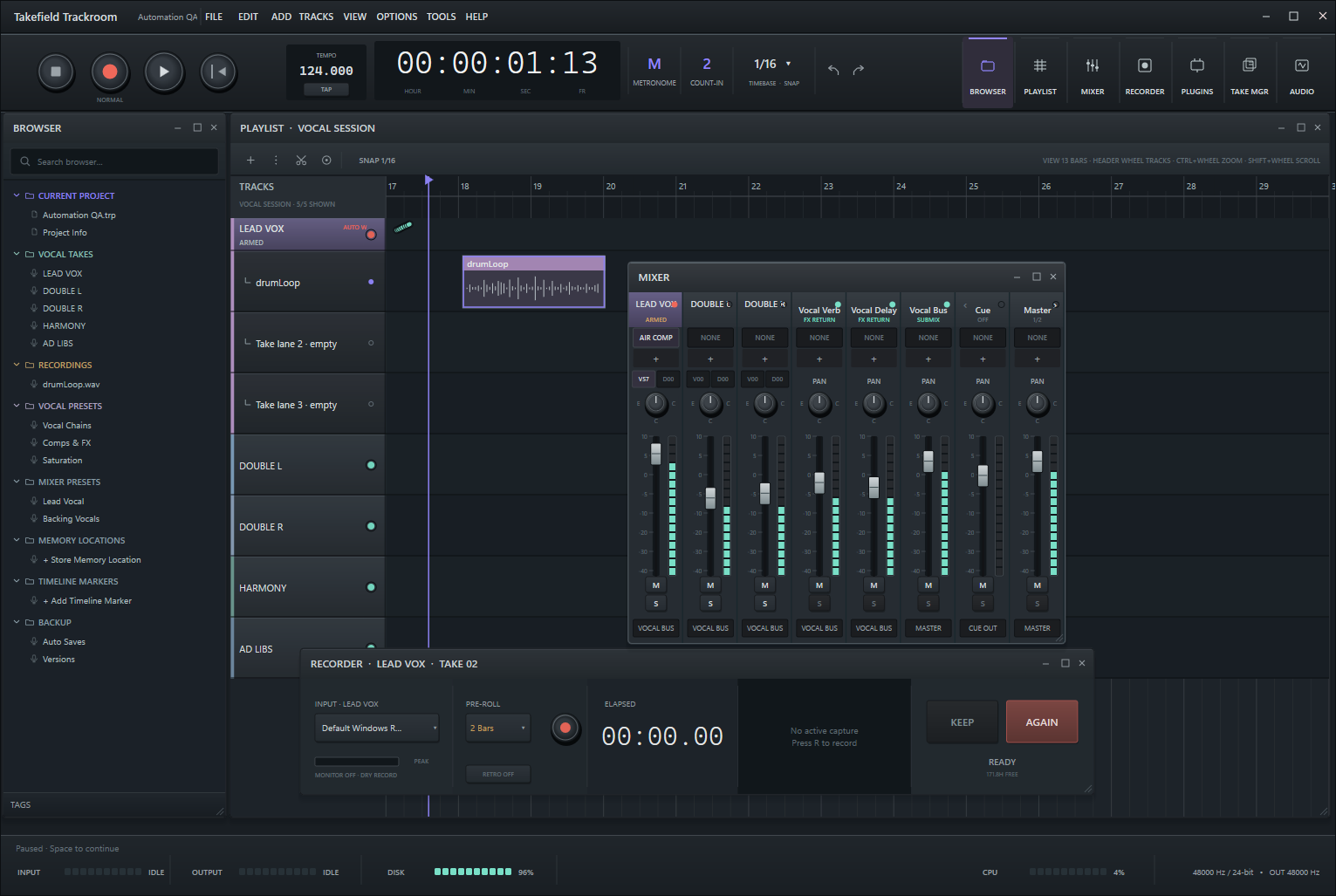
Recording should not become hard to reach just because the session has moved on. Trackroom keeps the input, monitor path, take history and next record pass ready while you edit, arrange or mix.
It is a standalone desktop DAW, not a plug-in or a front end for another workstation. Recording, playback, comping, editing, arrangement, mixing and delivery all happen in the same project.
Open the project, choose an input and record. Pre-roll, count-in and hardware controls are where you expect them.
Each recording stays with its source and take history. Audio, MIDI and linked performances do not turn into a pile of files with no context.
Trackroom keeps rolling backups and saves recovery checkpoints throughout the session, especially while you are recording.
Set up once, record as many passes as the performance needs, make the edit and finish the project without rebuilding the recording setup.
Choose the sources, session format, monitor path and cue mix. Once they are set, Trackroom remembers them for the next pass.
Record a vocal, a grouped set of microphones or MIDI with the pre-roll, count-in, punch and monitoring you chose.
Keep the take, try another one or listen back in context. When the performer is ready, the same recording setup is waiting.
Open the right editor for the material, comp or correct the performance, then close it and record again.
Arrange, mix and deliver from the same project, with the original takes and recording choices still intact.
Trackroom should open quickly, route predictably and recover cleanly after a crash. Those are basic requirements for software you bring into a session.
Active development
Trackroom's native alpha can already handle audio and vocal tracking. Broader instrument recording, MIDI capture, contextual editors, more complete mixing tools and final delivery are still being built. There will be a public release when the whole route from setup to handoff is dependable enough for paid sessions.
No placeholder release date. No public download yet.
Release updates
Leave your email for beta invitations and release news. We will only write when there is something worth sharing.